
Want to create a restaurant order form for your business so that customers can place online orders for takeout and/or delivery?
Making an mobile order form for your restaurant can simplify the process of placing orders and increase your sales.
In this post, you’ll learn step-by-step how to create your own custom restaurant order form using FORALL Forms – no technical knowledge needed.
Step 1

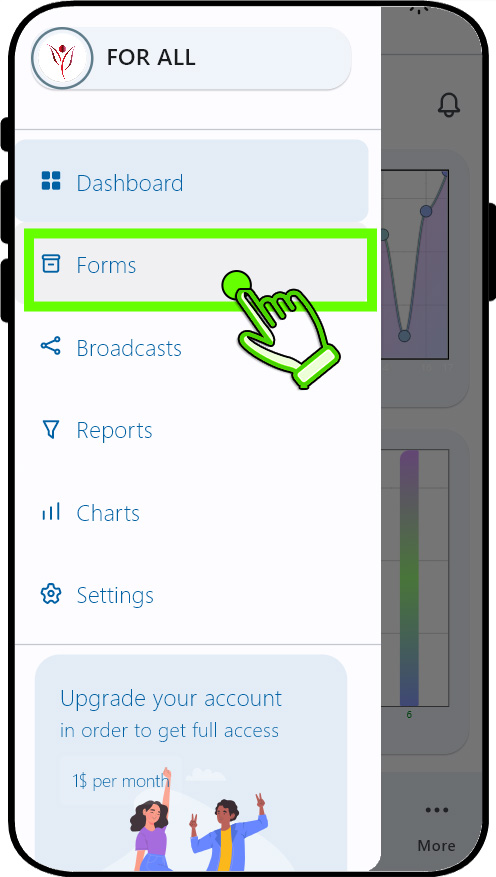

Tap the "Forms" option in sidebar menu.This will open "All forms" page.
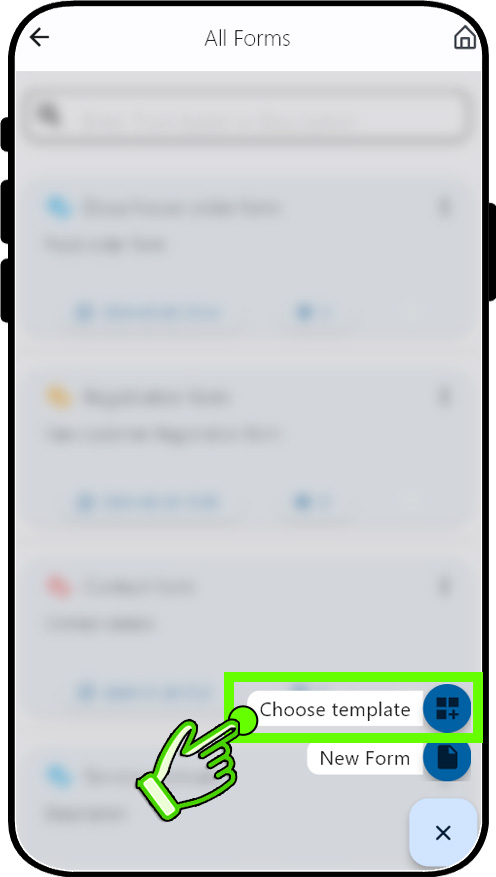
Tap the "+" floating action button and Tap "Choose templates" option.This will open "Form templates" page.
Step 2


Step 3
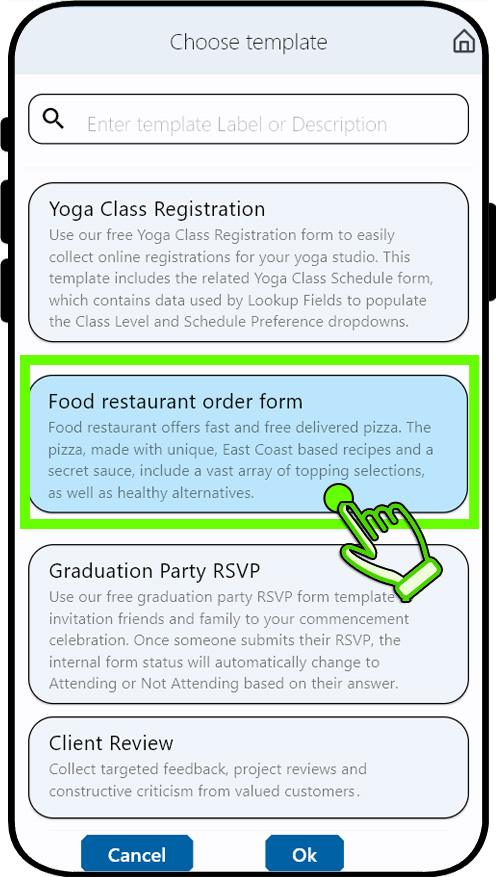
Select "Food restaurant order form" from the list.This will open "Form builder" page.
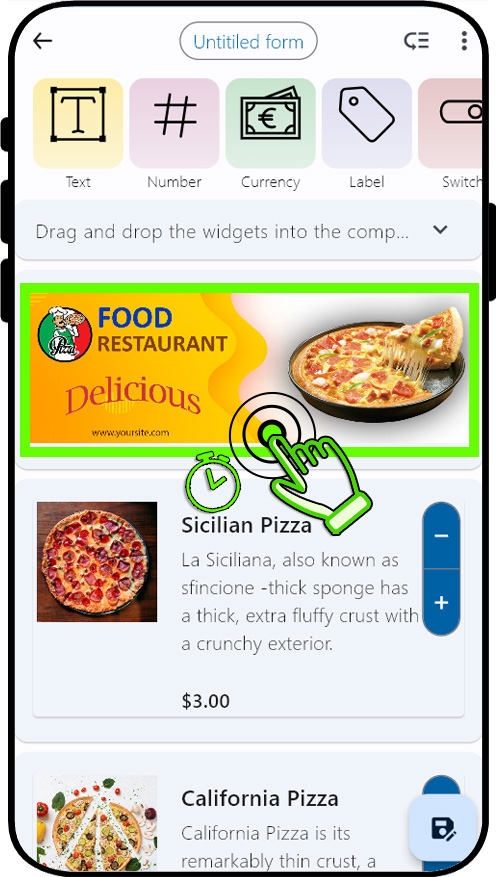
Long press the banner widget.This will open "Update banner widget" dialog.
Step 4
Step 5
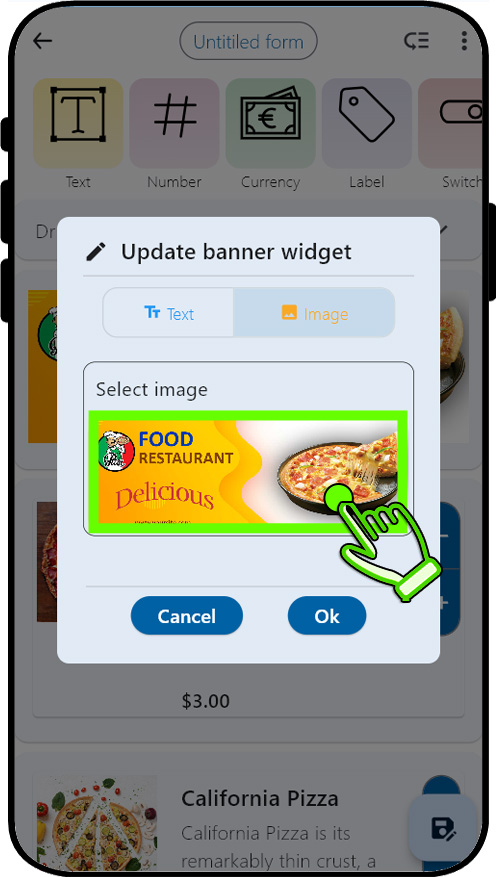
Choose your prepared image from the image gallery.
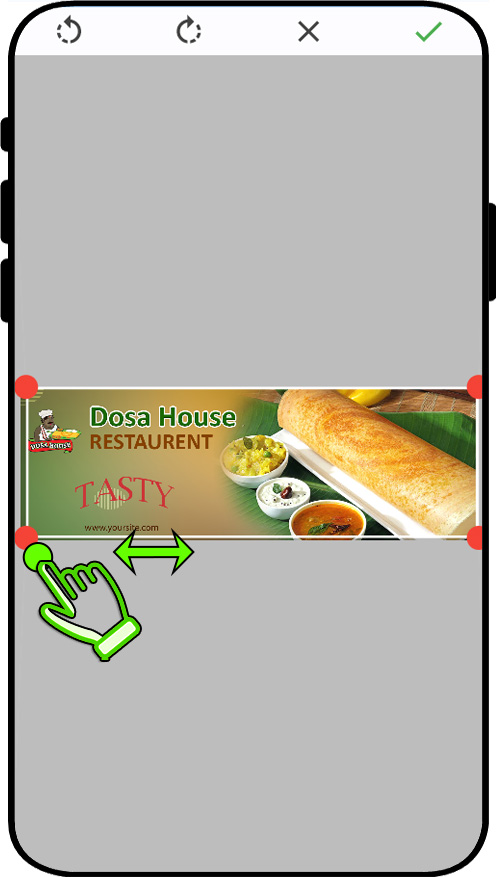
Crop the choosen image (Drag the corner dots to crop the image). Tap "Tick" icon on the top to confirm.
Step 6
Step 7
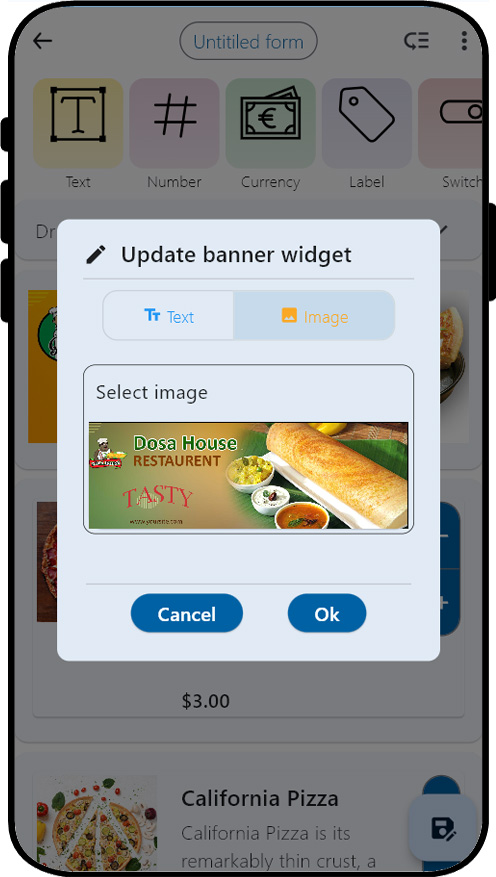
Tap "ok" to confirm or redo the step 7.
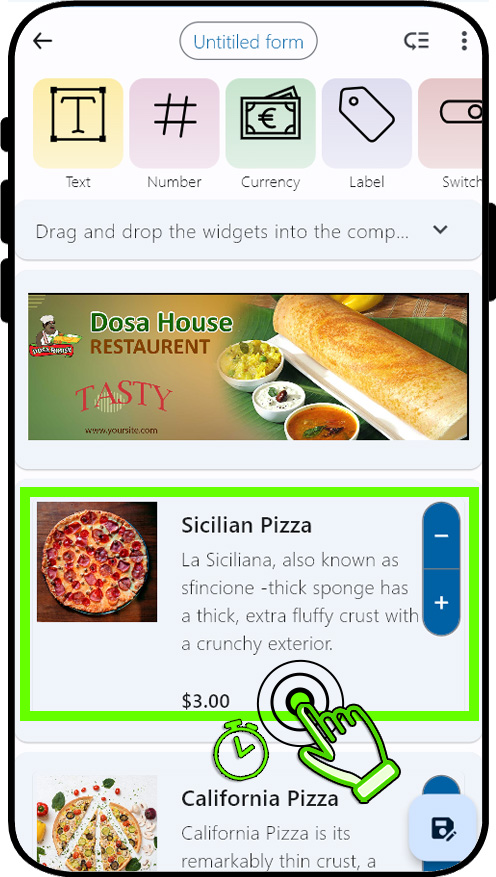
Long press the widgets in the design panel to change their properties.Long pressing the "Material details widget" opens the "Material details widget" dialog.
Step 8
Step 9
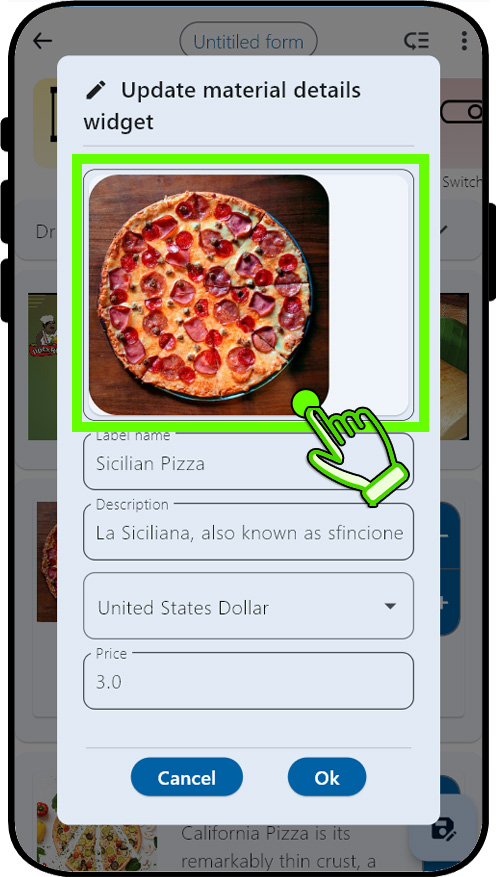
Tap the previous picture to replace it with your updated picture.This will open the "Image selector" dialog.
Simply type in the title of the image you are looking for in the search panel and hit Enter. You will find the results below. Pick the image you like.
Step 10
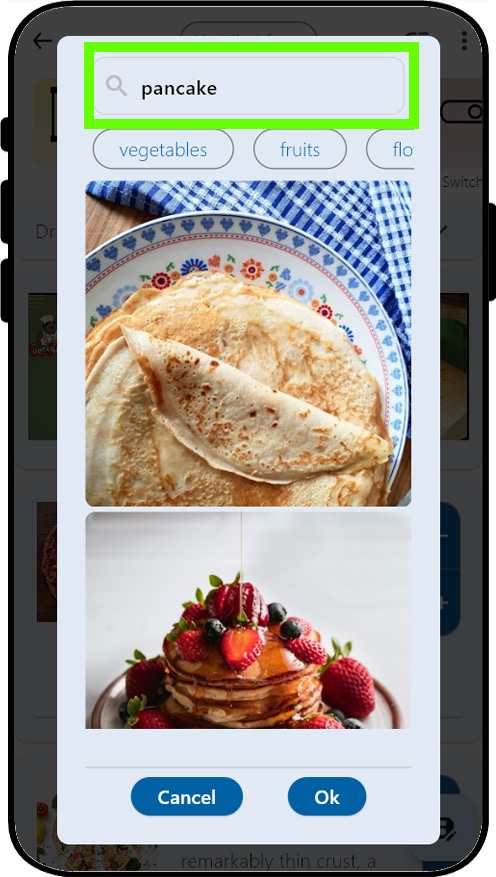
Step 11
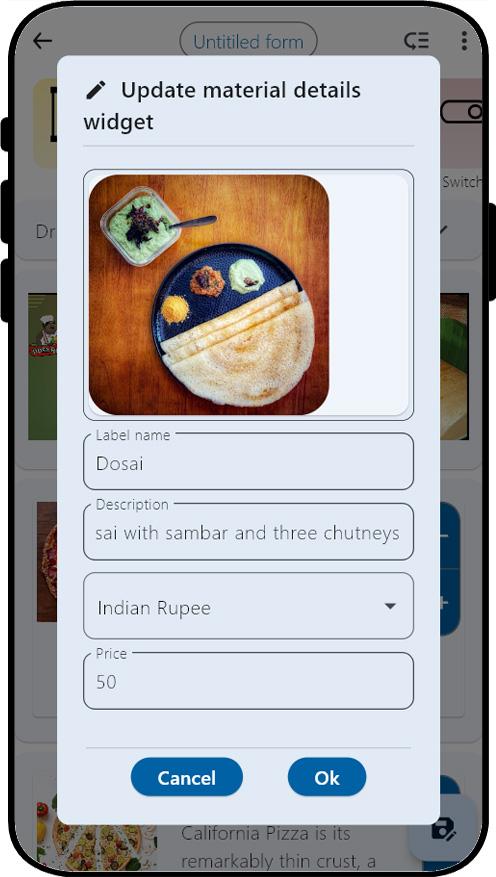

Modify the Label name, Description, Currency, and price according to your needs.
Step 12
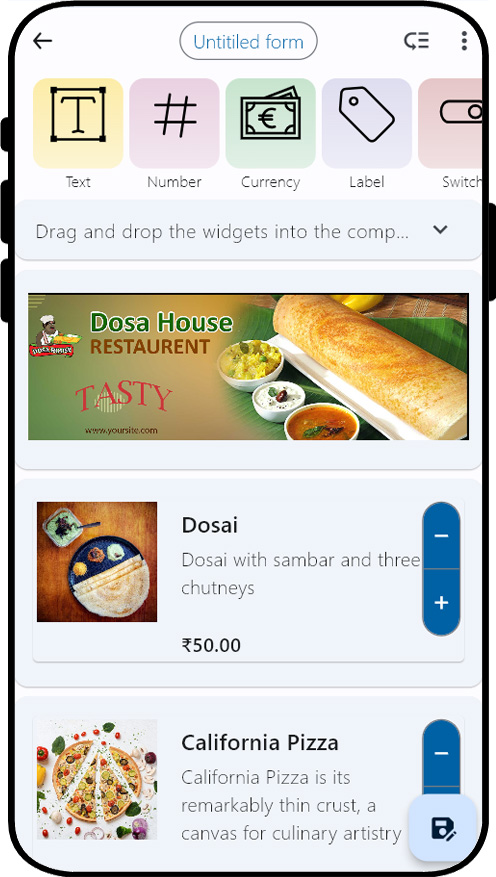
Follow steps 8-11 again to personalize more widgets based on your preferences.
Step 13
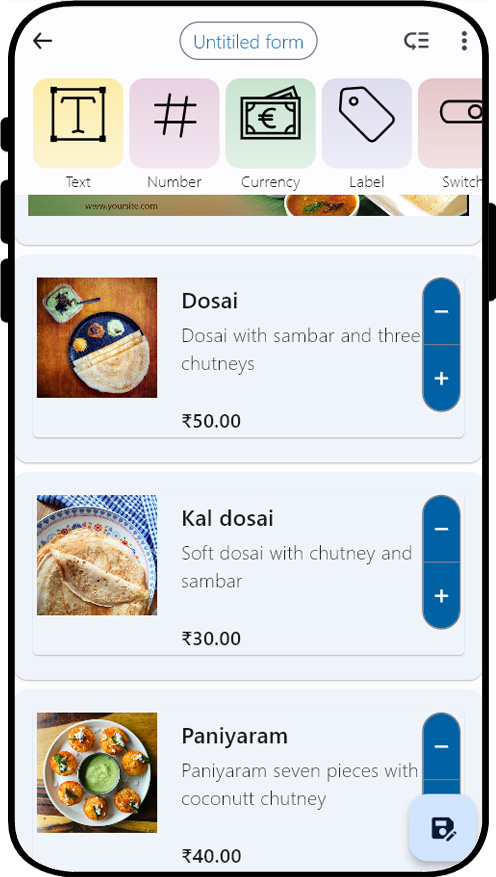
The form has undergone complete customization to align with your preferences.
Step 14
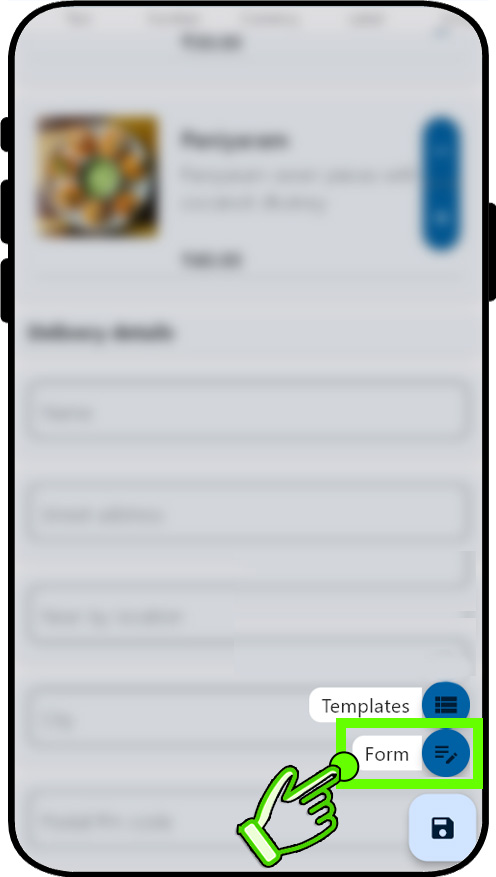
Tap the "Save" floating action button and Tap "Form" option. This will open "Update form properties" dialog.
Step 15
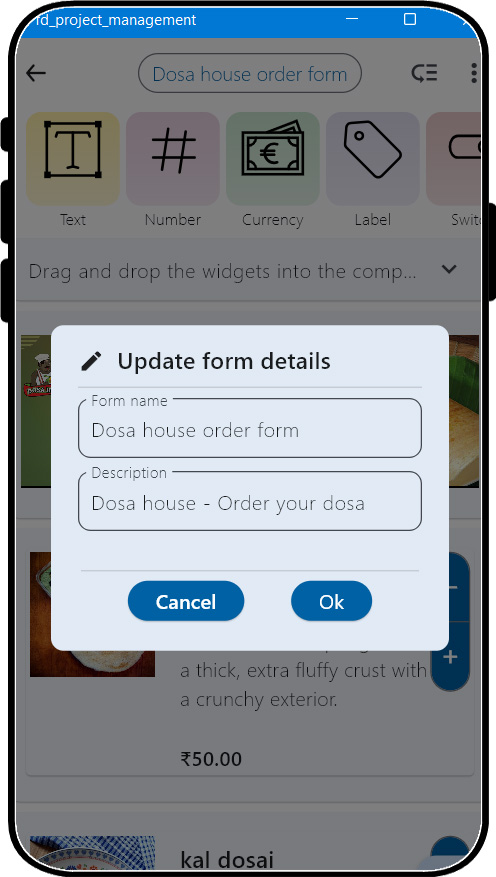
Enter the form name and description and confirm by selecting the "ok" button. This will leads "Dashboard" page.
Step 16
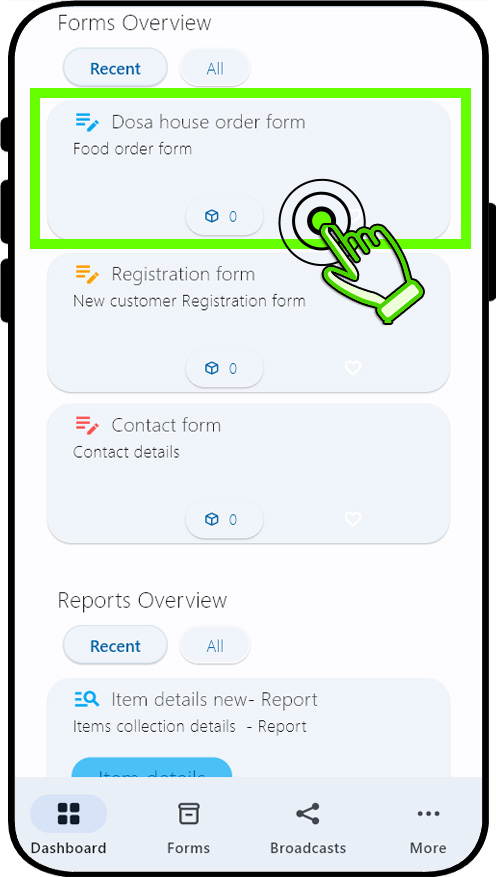
Observe the latest form's addition to the "Form overview" panel in the dashboard page.Double tapping the form(card) will initiate the opening of the form for data entry
Step 17
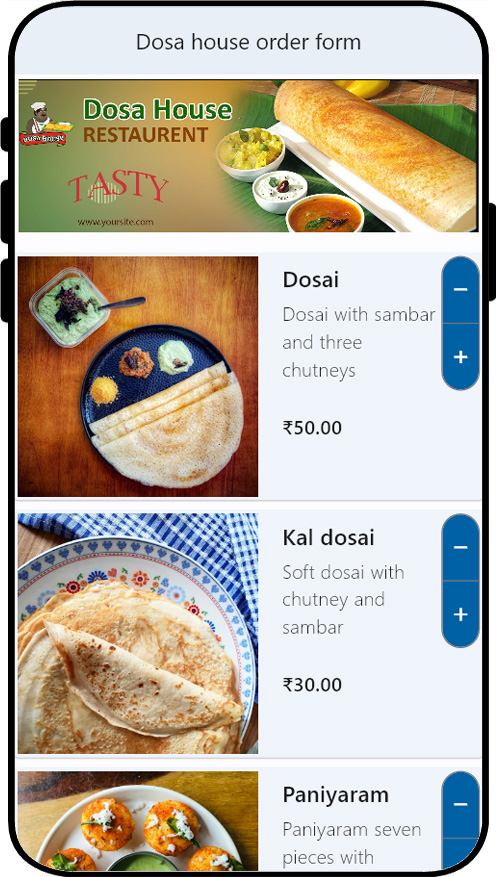
The form is now fully prepared and ready to be utilized.
The perfect solution for creating mobile order forms
Simplifying the order placement process is crucial for any restaurant, and creating an online order form can be a game-changer. By offering this convenient feature, you can make it effortless for people to order from your restaurant, resulting in increased sales. We understand the significance of customer convenience, and implementing an online mobile order form is a step towards achieving that.
You can apply this very same approach to create order forms for any kind of product or service.Here are a few examples: Cake Order Forms,Bakery Order Forms,Product Order Forms,Apparel Order Forms,Photography Order Forms,Supply Order Forms,Sales Order Forms,Uniform Order Forms,Fundraising Order Forms,Delivery Order Templates,Florist Order Forms,Change Order Forms,Purchase Order Forms,Cookie Order Forms,Food & Beverage Order Forms,Preorder Forms,Catering Order Forms,Book Order Forms,Ticket Order Forms,Purchase Order Request Forms,Change Order Forms,Fundraising Order Forms